Unicore GPS Modules
Several users have chosen alternative GPS RTK modules with chips by Unicore:
- UM960
- UM980
- UM982
These chips are sold in different variants. Some come with a USB-C socket (so they can be connected directly to the Raspberry Pi). Some have a different antenna socket, which requires an SMA F to MMCX M90 cable.
Compared to the ArduSimple simpleRTK2B, they are a bit cheaper and support triple-band frequencies.
Connection options
| Connection | Notes |
|---|---|
| Module USB-C → RPi USB | e.g. with angle connector |
| Module UART → MainBoard UART | requires header connectivity |
Configuration options
| Method | When to use |
|---|---|
| Vendor software (UPrecise) on Windows | Before installing module into mower |
| Over UART bus (terminal only) | When RPi is installed and operational |
Software
The vendor offers UPrecise to check all status details and configure the receiver. The UI is pleasing and has many features, but also quite some bugs. The download requires creating a free account.
Configuration via UPrecise (USB)
Receiver
Connect to the receiver via UPrecise. COM3 is used when connected via USB. Paste the following commands into UPrecise:
FRESET
CONFIG COM3 460800
MODE ROVER UAV
GPGGA 0.1
GPGSV 1
GPRMC 1
GPGSA 1
GPVTG 1
GPGST 1
SAVECONFIG
You can also connect directly to the receiver’s TTY, but make sure to send CR+LF (\r\n) line endings — otherwise commands won’t be recognized.
OpenMower (mower_config.txt)
export OM_GPS_PROTOCOL="NMEA"
export OM_GPS_PORT="/dev/ttyUSB0"
export OM_GPS_BAUDRATE="460800"
Configuration via UART (mainboard)
Use this method when the RPi is already installed and you want to wire the module directly to the mainboard UART header.
Prerequisites
- Modified mower with replaced mainboard
- RPi with
openmowerservice running
Step 1 — Solder headers on the UM9XX
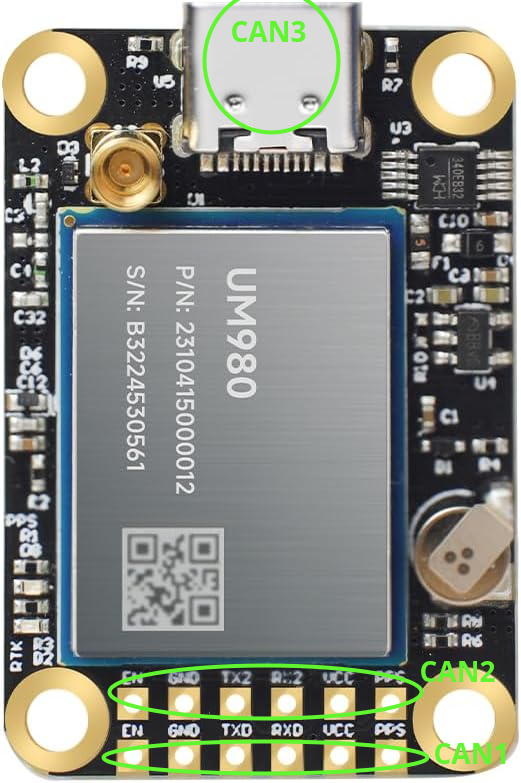
You only need the 4 middle pins from the 6 available: GND, VCC, TX, RX.
The remaining 2 pins are not needed:
- EN — can be used to temporarily shut down the module
- PPS — pulse-per-second signal, useful only if you need precise timing
Step 2 — Wire UM9XX to the mainboard
An adapter board is available as an alternative to manual wiring.
| MainBoard | UM9XX |
|---|---|
| TXD | TXD |
| RXD | RXD |
| 5V_IN | VCC |
| GND | GND |
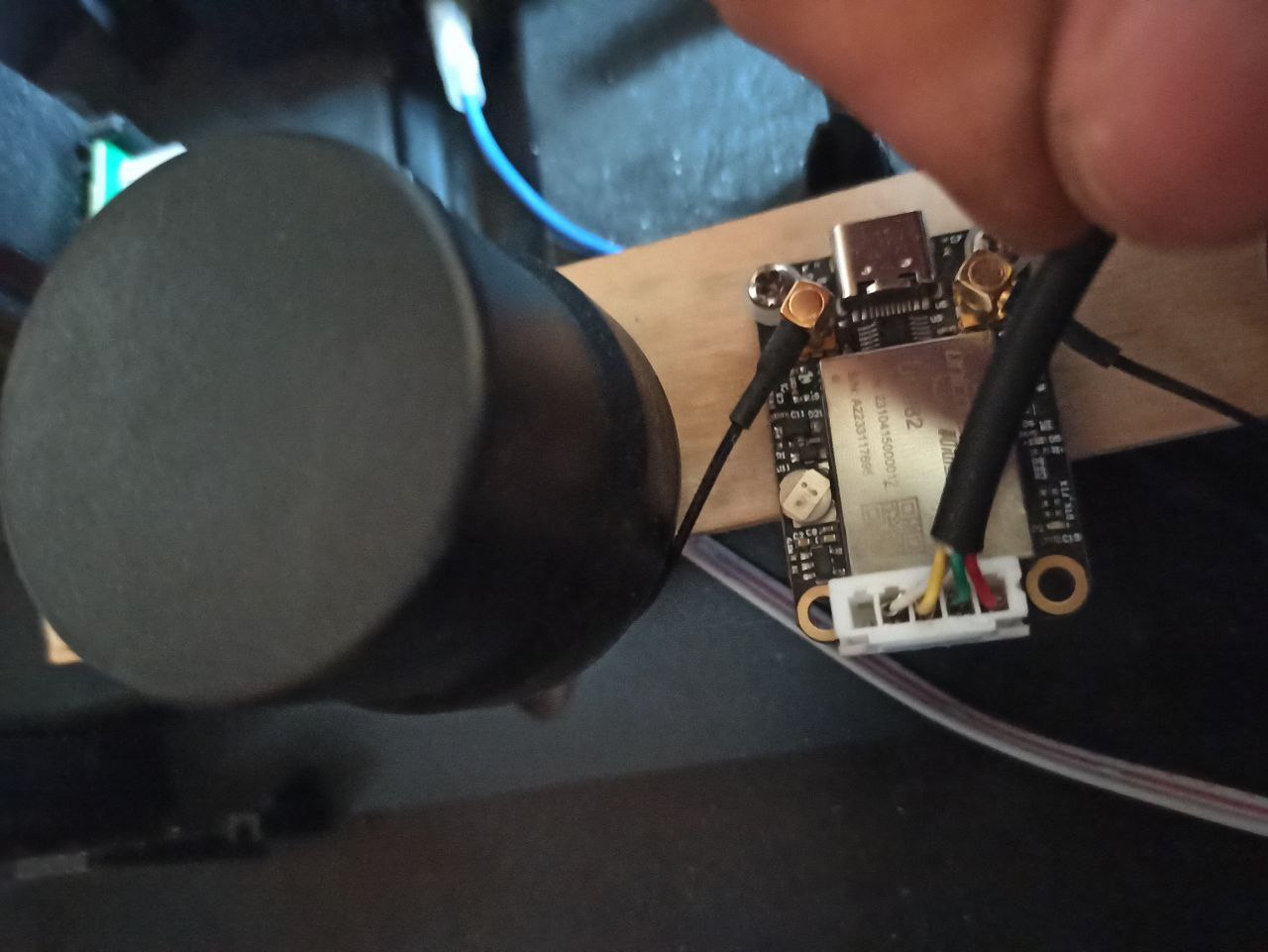
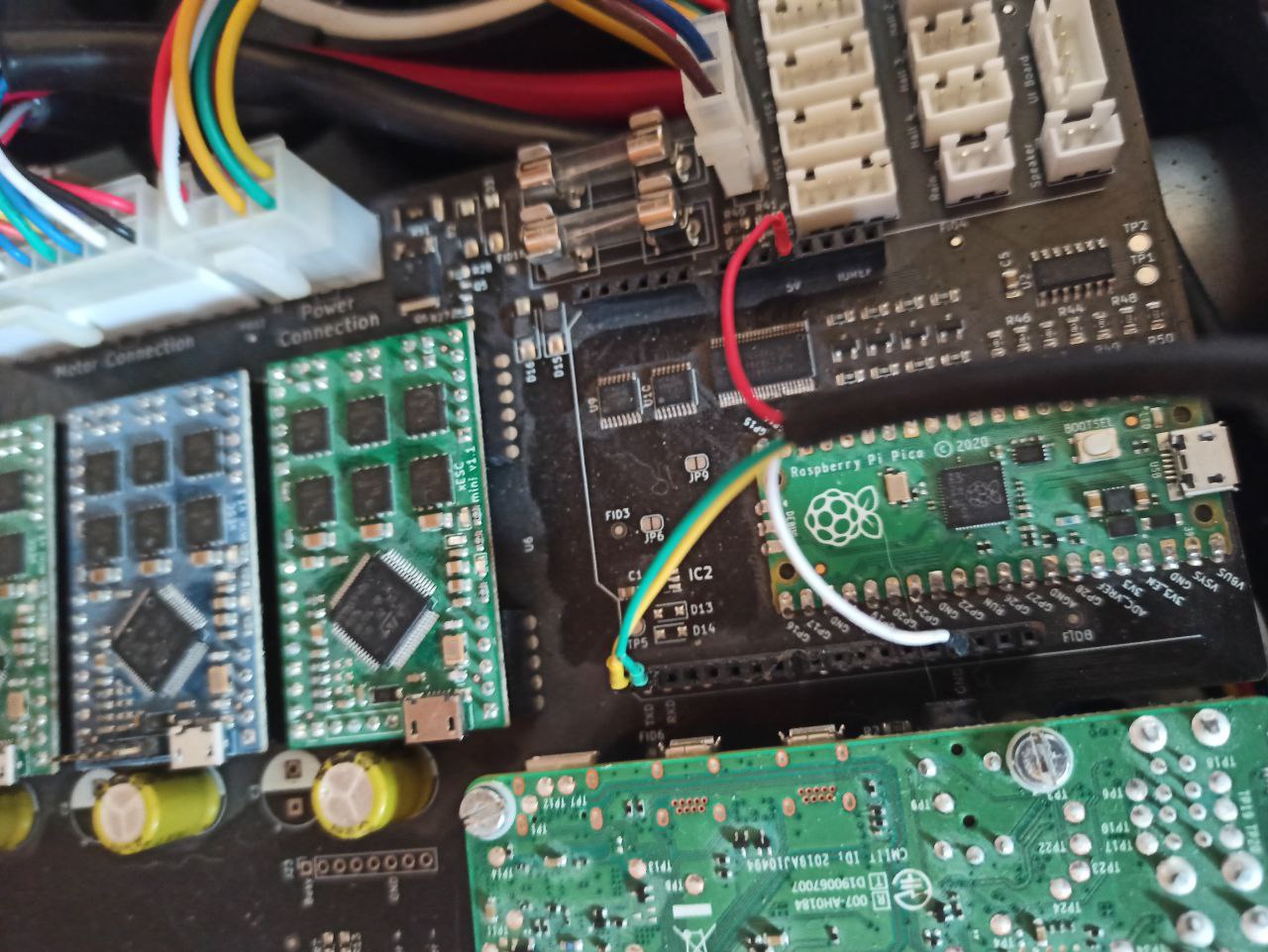
Step 3 — Configure UM9XX over UART
Install miniterm (part of python3-serial):
sudo apt-get install python3-serial
Stop the openmower service so it does not occupy the UART bus:
sudo systemctl stop openmower
Connect to the UART bus at the default baud rate (115200):
python -m serial.tools.miniterm /dev/ttyAMA1 115200 -e
Note: The following commands assume you wired to the bottom lane (COM1). If you used a different lane, replace
COM1withCOM2.
Factory-reset the module and note the response:
FRESET
Expected output:
$command,FRESET,response: OK*4D
system is rebooting
..........
$devicename,COM1*67
Set the baud rate to 460800:
CONFIG COM1 460800
Exit miniterm with Ctrl+], then reconnect at the new baud rate:
python -m serial.tools.miniterm /dev/ttyAMA1 460800 -e
Note: If commands get no response, the baud rate or COM port is wrong. Reconnect at 115200, run
FRESET, and try again.
Configure NMEA output. Each GP* command produces extra output — make sure SAVECONFIG completes successfully at the end:
MODE ROVER UAV
GPGSV COM1 2
GPRMC COM1 1
GPGSA COM1 1
GPVTG COM1 1
GPGGA COM1 0.5
SAVECONFIG
Expected output after SAVECONFIG:
$GNGGA,192705.50,,,,,0,00,9999.0,,,,,,*45
$command,SAVECONFIG,response: OK*55
$GNGGA,192706.00,,,,,0,00,9999.0,,,,,,*43
$GPGSA,,1,,,,,,,,,,,,,,,,*73
$GNRMC,192706.00,V,,,,,,,030625,0.0,E,N,V*7B
Exit miniterm with Ctrl+].
Step 4 — Configure OpenMower
Run openmower configure ros and set the GPS protocol to NMEA and the baud rate to 460800.
With your RTK base configured, take the mower outside and verify you get a GPS fix.
Troubleshooting — receiver resets
If the receiver cannot get a fix, a reboot may help. UPrecise provides three reset buttons. Unlike FRESET, these do not wipe the configuration:
| Button | Command | Effect |
|---|---|---|
| Hot Start | RESET | Quick restart |
| Warm Start | RESET EPHEM | Clears ephemeris data |
| Cold Start | RESET EPHEM ALMANAC IONUTC POSITION | Full data reset |
See section 8.3 (“Reset”) in the Unicore command reference for details.